KK Library Scene & Card manager

Koikatsu & Koikatsu Sunshine

Scene & Card* Library manager

Free. Made by someone who got fed up with the whole scenes and cards folder mess.

Local app. Portable ZIP. No account. No telemetry.

Current release

Beta

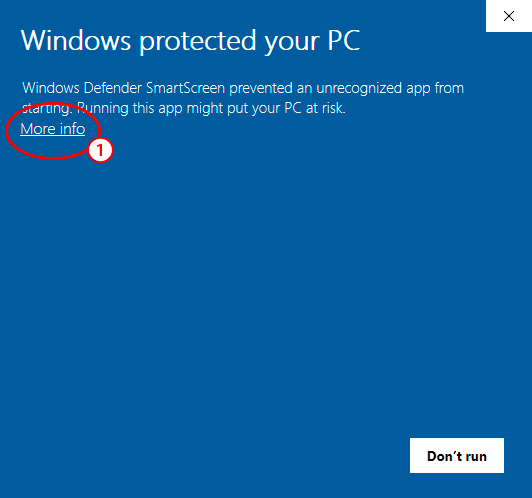
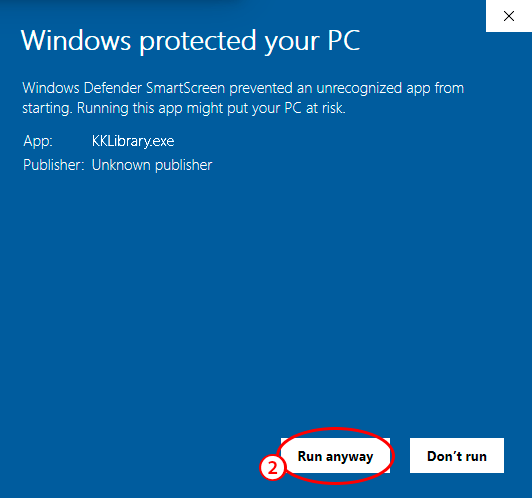
Windows SmartScreen may warn on first launch. No malware.
* Card feature is not available yet, sorry. m(_ _)m

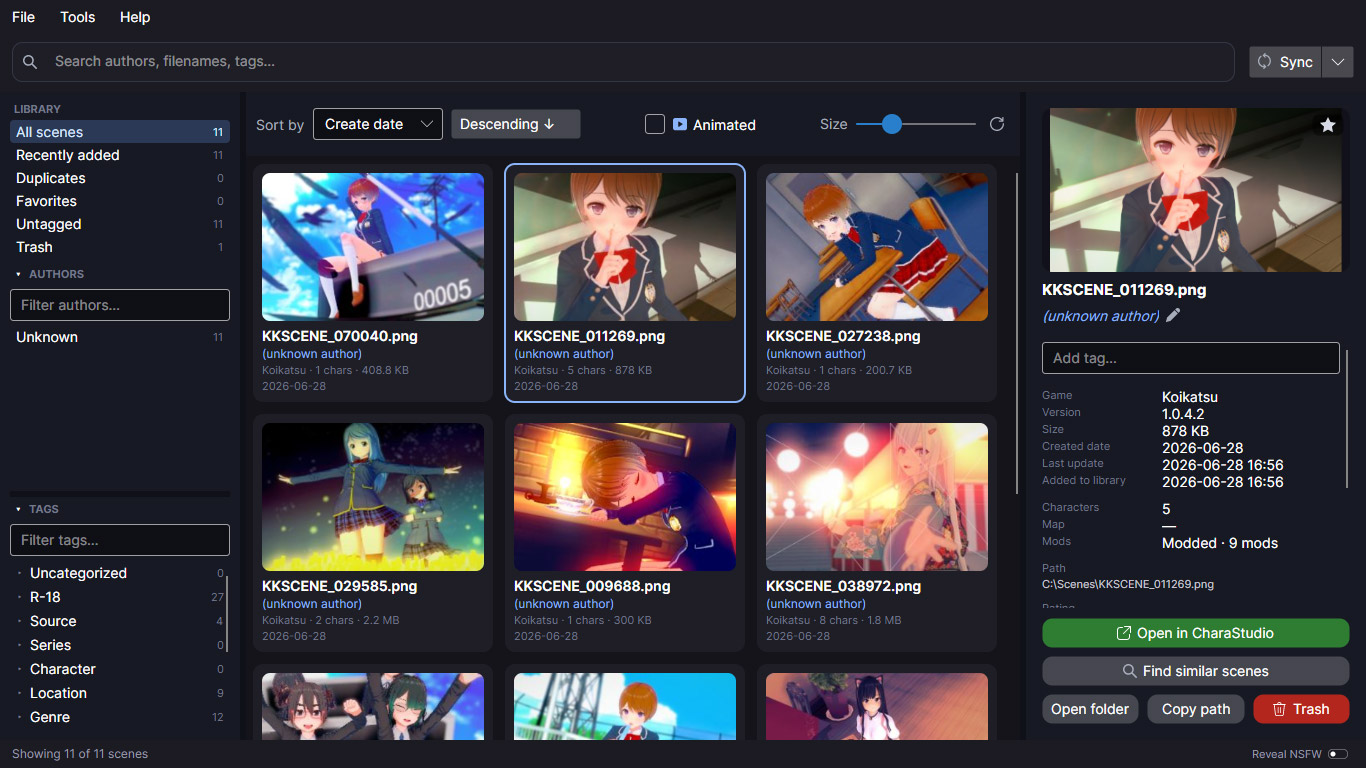
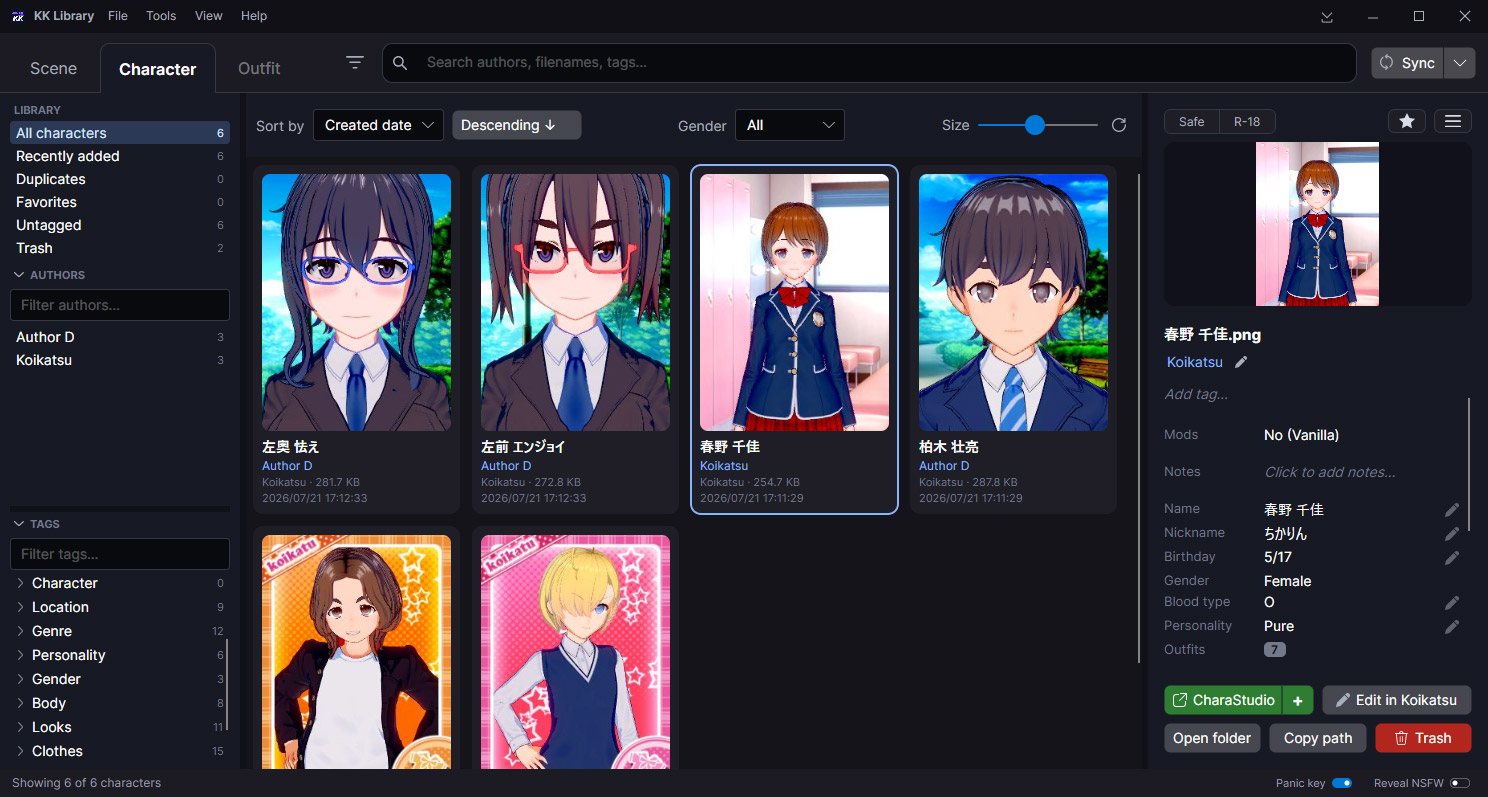
Main application screenshot

Main window: scene grid, search, tags, authors, and inspector

What is it

A manager for Koikatsu and Koikatsu Sunshine scene and card collections.

If you have used KK or KKS for a while, your collection is probably a mess: nested folders, vague names, duplicate downloads, repeated saves and a lot of files you don't even remember anymore.

KK Library is a local desktop app that helps scan those folders, show what is inside, find duplicate or similar content, fix tags and author names and reorganize files easily.

Price Free. Forever
Supports Koikatsu and Koikatsu Sunshine (but not required)
OS Windows 10 (x64) and Windows 11 (x64)
Size ~100 MB (~44Mb zipped)
Free space At least 150 MB for the app itself
Installation Not required. Portable ZIP
Network Not required (unless you want to)
Languages English and Japanese

Find scenes across your folders

Scan scene folders and build one searchable list.

Browse, search and inspect scenes without opening the game.

  • Multiple folders
  • Search + filters
  • Preview + metadata
  • Filter animated scenes

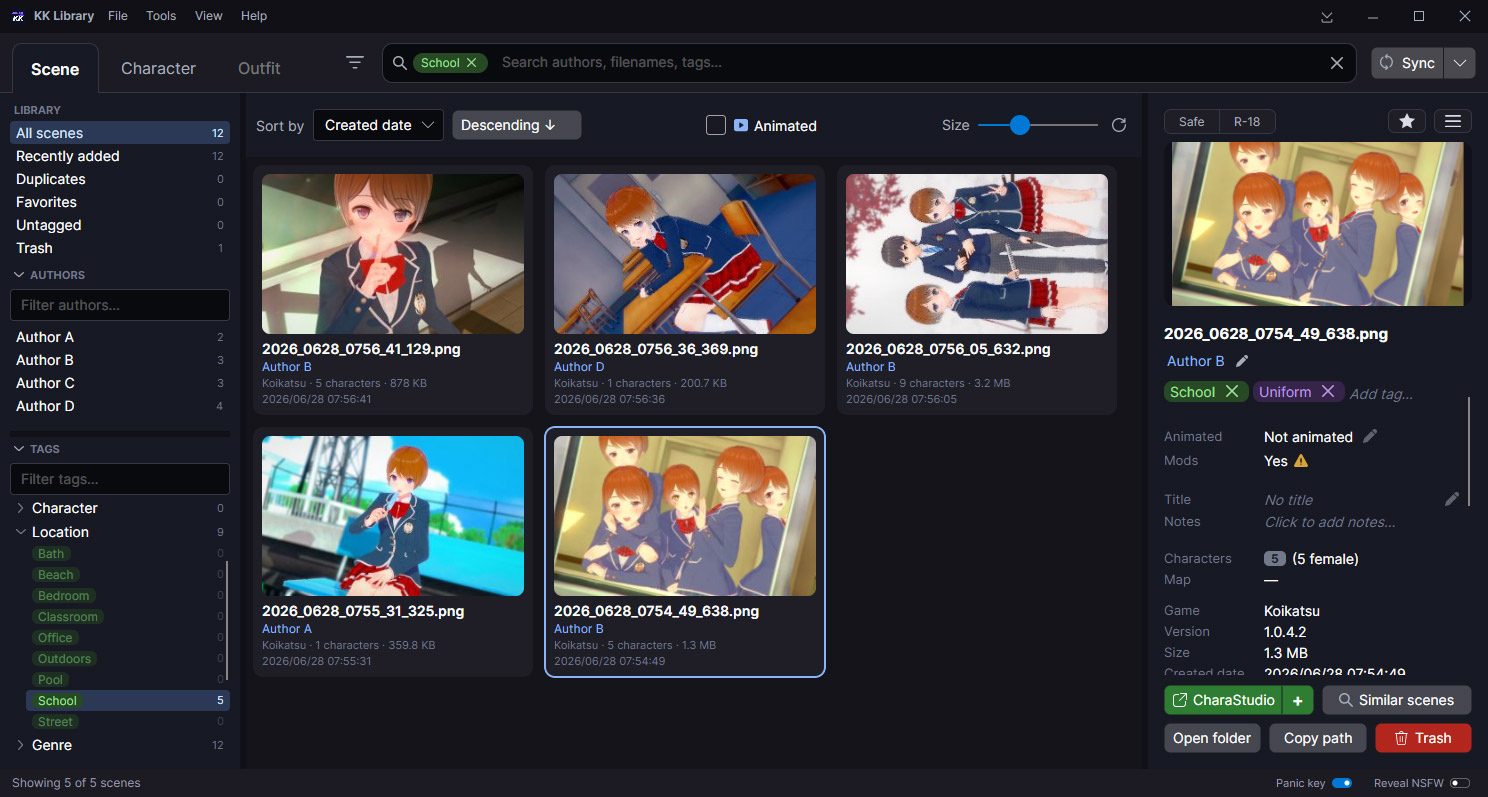
Browse / search screenshot or GIF

Main library view and folder scanning result

Find duplicates and similar scenes

Easy and safe cleanup

This is likely what you have been looking for. Find and get rid of all those duplicated scenes or variants without losing what is important to you.

  • Find and compare duplicates
  • Look for similar scene variants
  • Remove, rename or move files in batch

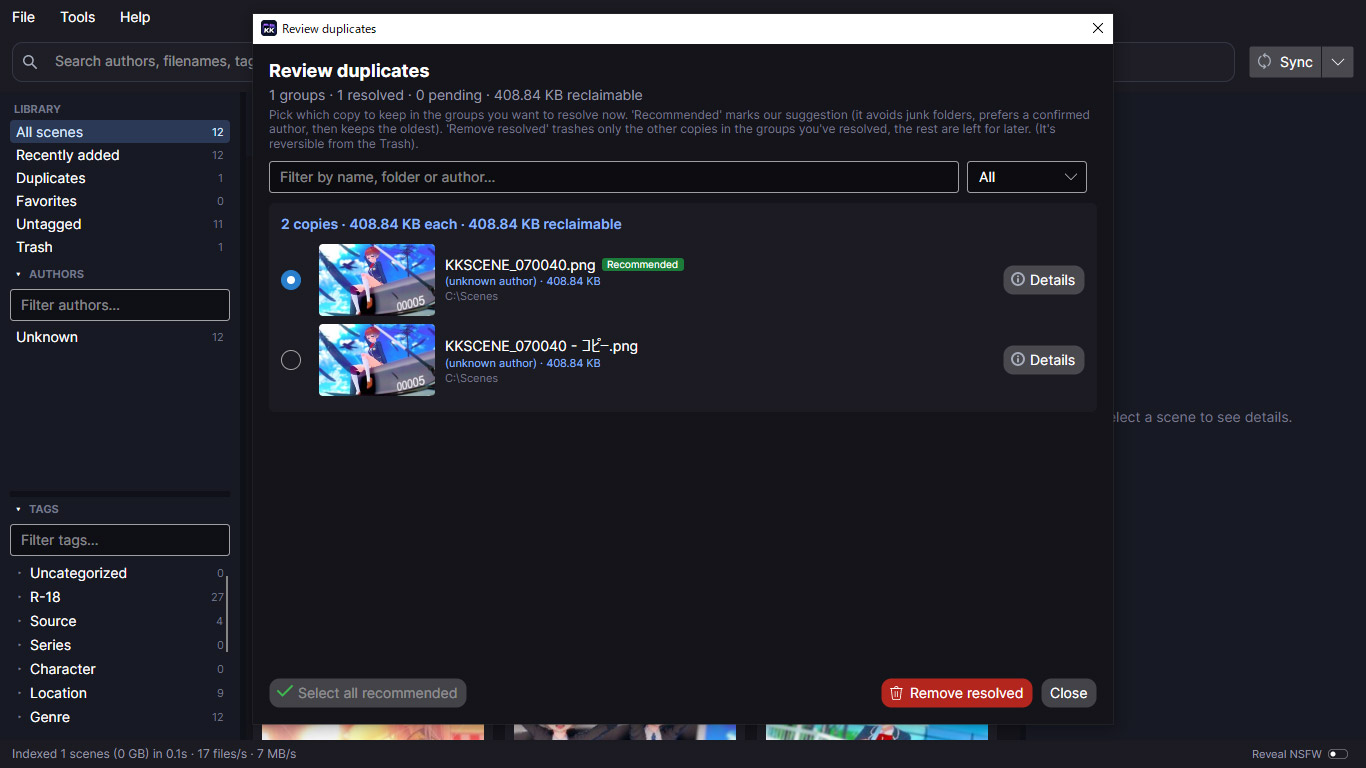
Duplicate review screenshot or GIF

Exact duplicates and similar-scene review

Tags, ratings, favorites and all that

Add the information your scenes are missing.

Add the information your scenes usually do not have, so you don't have to open them every time to check.

  • Tags, ratings and favorites
  • Fix and merge authors
  • Check mod lists

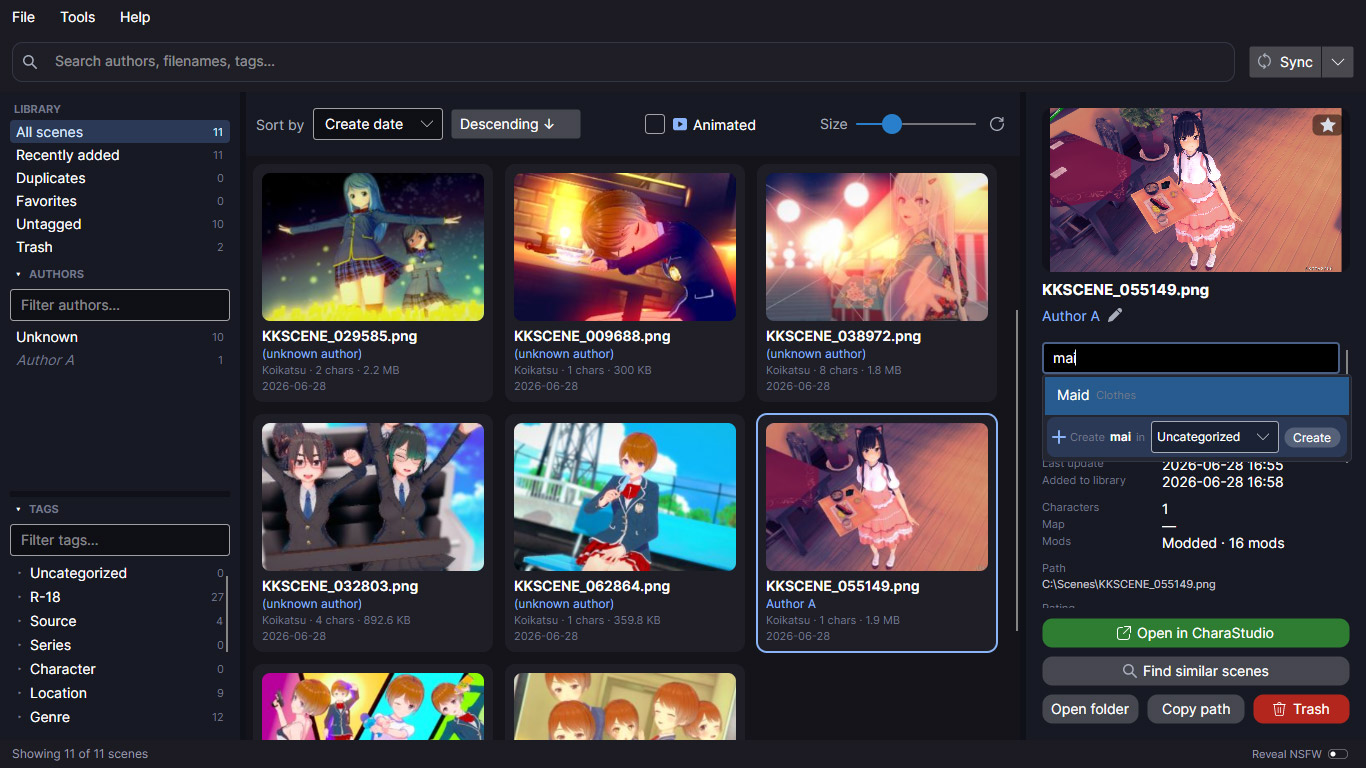
Tags / author management screenshot

Tags, ratings, favorites, and author cleanup

More tools

What else it does

Reorganize files

Sort scenes into a cleaner folder layout. You see the move plan first, then apply it.

Open in CharaStudio

Send a scene straight to CharaStudio, without digging through the in-game loader.

NSFW handling

Mark scenes Safe or R-18 and blur previews.
Panic button (esc) hides everything and minimize.

Your work stays put

Tags, ratings and authors are tied to the scene itself, so they survive moves and re-packs.

Edit in bulk

Select a pile of scenes and tag, rate, or fix the author on all of them at once.

Made for big folders

Built for oversized, messy libraries: thousands of scenes stay quick to browse and search.

F.A.Q

Questions you might have

Windows warns about an "unknown publisher", is it safe?

It's safe, it's just not code-signed. A signing certificate costs money every year and this is a free side project, so Windows SmartScreen flags it the same way it flags any small unsigned app. Choose "More info → Run anyway" to start it. If you want to be sure first, check your download against the SHA-256 on this page. Since the app is portable and offline, you can run it from a throwaway folder or a VM and watch what it does.

Will it change my game, mods or saves?

It does not touch your mods or saves. The one thing it adds to your Koikatsu folder is a small bridge plugin (in BepInEx/plugins), installed when you connect your game so "Open in CharaStudio" can work: it sits alongside your other plugins and changes nothing else. If you never connect the game, it does not write there at all.

Do I need Koikatsu installed?

No. It can scan and manage scene files on a PC that does not have the game at all. You only need Koikatsu installed for the optional "Open in CharaStudio" button.

Can it lose or damage my files?

Scanning only reads, it never changes your originals. The only changes are ones you trigger yourself: deleting moves scenes to a Trash you can restore, and reorganizing shows you the whole plan first and can be undone. If something looks wrong, it is recoverable.

Does it go online or send anything about my collection?

No account, no telemetry, and nothing about your files leaves your PC. The one exception is an optional update check: on launch it can fetch a tiny file to compare version numbers (nothing about you or your library is sent) and you can turn it off in Settings.

How do I get updates?

When a newer version is out, the app shows a small note with a download link. You grab the new ZIP and replace your old folder (Your settings and data stay where they are). Nothing installs or updates itself in the background.

How do I remove it, or move to another PC?

It is portable, so there is nothing to uninstall: delete the folder and it is gone, with no leftovers. To carry your work across, export your tags, ratings and authors to a file and import it on the other machine (or after a re-pack).